Multitrack tablature editor and player
TuxGuitar is a full-featured music composition tool that can be really helpful to musicians, whether they use their computer to produce music or not. It is a professional-grade software that will allow you to create and listen to various tablature formats. All of its offered features and tools can be experienced free-of-charge.
Top Recommended Alternative

Overwhelming for novice users, but feature-packed
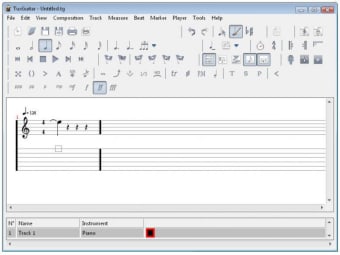
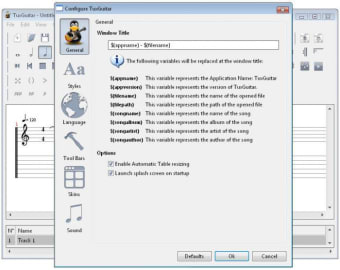
TuxGuitar can look complex at first sight, well at least for music newbies. But the amount of tools available, along with an extensive help section and documentation really encourages you to give it a go. This audio editor and player feature a nicely-designed interface with clear, simple lines that make music composition tasks lighter work.
Besides composing on the tablature, you can also use a virtual guitar fretboard or piano keyboard to make composition even easier. What's more, it also enables you to play the songs you compose, using one of the many instruments included in it. On top of that, it provides import and export support for GP3, GP4, and GP5 file formats.
How do you use TuxGuitar?
As stated, this music companion app provides a clean interface with a layout that is intuitive-designed. However, its entire operation will still be a challenge, especially for beginners. Your attention will surely focus on your on-going composition as it displays an empty music sheet that you must fill in with notes and rhythms. You'll also be able to select the note value you prefer either whole, half, quarter, eighth, sixteenth, thirty-second, or sixty-fourth.
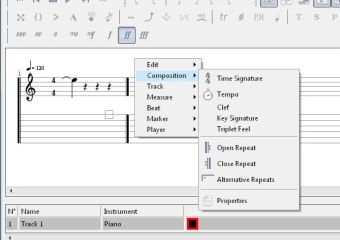
At the same time, it allows you to insert a time signature, set the music tempo, and choose a clef. If you wish to increase or decrease the tone of a certain note, you can possibly do it here. Essentially, all the markings in a regular musical sheet are also accessible in this app. While you are working on your current composition you can listen to it and modify the areas you want to improve. Its built-in player can go through the entire sheet and provide an accurate rendition.
Challenging only at first
In spite of its quite confusing first impression, TuxGuitar truly deserves a chance from all music composers especially for its nicely-designed interface that features many interesting tools, which can greatly help improve your music composition. If you're a beginner user of this app, you should make use of its help section to quickly grasp its whole operation. Once you have familiarized yourself with it, everything will be a piece-of-cake.
Changes
Support measure range to loop Transpose notes feature Optionally transpose affected notes when change tuning Move beats left|right support More song properties options Add multiple measure support Clean multiple measure support Number of pastes support Better lilypond plugin Better fluidsynth plugin New jack plugin New community integration plugin New cocoa integration plugin New audio unit plugin Many bug fixes